
Voice activated teleprompter on iPhone: how to turn it on, and where it stops listening
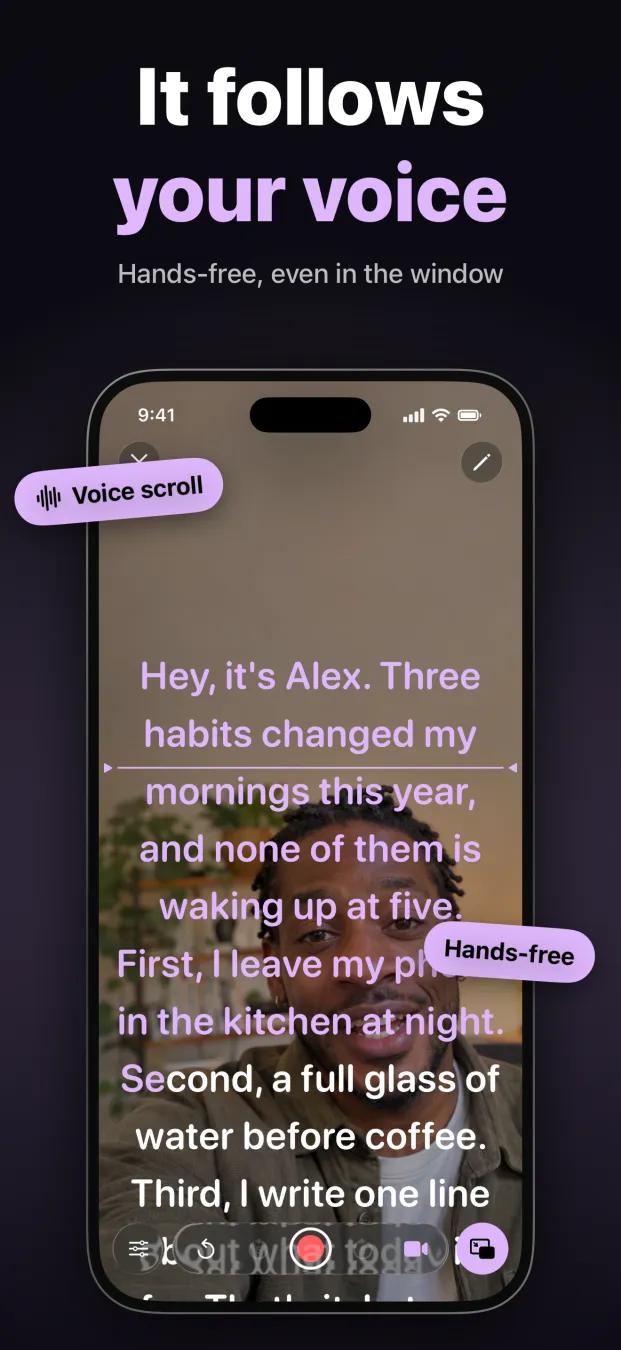
A voice activated teleprompter scrolls your script as you speak and stops when you stop. In Teleprompter PiP that's Voice mode: open the prompter's settings, pick Voice, and start reading. The words you've already said turn purple, a pause holds the text, and repeating a line takes it back. It works on the free plan's three scripts.
What follows is how to set it up and, just as important, the places where it can't hear you. Most disappointments with voice scroll come from those, not from the speech recognition.
Turning Voice mode on
- Open a script and tap play to get the full-screen prompter.
- Tap the settings button (three sliders) in the bottom bar. At the top are two cards: Auto-scroll ("Steady pace") and Voice ("Follows your voice"). Tap Voice.
- The first time, iOS asks for microphone and speech recognition access. Allow both.
- Close the settings and start reading. Voice starts listening as soon as you pick it.
While Voice is on, the 5-second back and forward buttons are greyed out, because your voice sets the position. Restart still works: it sends the text and the listening position back to the top, and play starts it again.
If nothing moves, check that Dictation and Siri are on (Settings → General → Keyboard → Enable Dictation, and Settings → Siri). The app shows this as a card at the top of the script list until you close it, because iOS gives apps no way to check it.
Which language it listens in
Under the mode cards, Voice language sets what the recognizer expects. By default it's automatic: the app reads the script's text, guesses the language, and listens in that. A Portuguese script on an English iPhone is heard as Portuguese. If the script is in your phone's language, it keeps your phone's regional variant when iOS can recognize it, so British English stays British. A script of only a word or two gets the phone's language.
You can pin a language for one script there, or for all scripts under Voice language in the app's Settings. The list shows only languages this iPhone can recognize. On iOS 26 the first use of a new language can take a moment while iOS downloads its speech model.
Recognition runs on the phone where iOS supports that language on the device; for the rest, the audio goes to Apple's speech service. The app also passes up to 100 of your script's longer words (six letters or more) to the recognizer as hints, so names and terms in the script are easier for it to catch.
What it does with pauses, repeats and notes
- Pause or ad-lib: speech that doesn't match the script doesn't move it. The text waits for you.
- Go back: restart a sentence and the text follows you back once several words in a row match that earlier spot.
- Common words: a single "and" or "the" can only nudge the text along, never jump it to another "and" further down.
- [Notes in brackets]: never waited for. Write "[show the product]" and the app skips it rather than waiting for you to say it.
The longer story of why voice teleprompters jump, freeze or lose their place, with a 5-minute test for any app, is in how voice-scroll teleprompters work.
Where it can't hear you
On iPhone only one app records from the microphone at a time, and the one that's recording gets it. That decides where Voice mode can follow you:
| Where you read | Does the text follow your voice? |
|---|---|
| Full-screen prompter (a separate camera or phone films you) | Yes |
| Teleprompter PiP's own recorder | Yes, while it records; your voice is in the clip |
| Floating window over an app that doesn't use the microphone (notes, a browser, slides) | Yes |
| Floating window while TikTok, Instagram, CapCut or the Camera records with sound | No: steady pace until you come back to the app |
| Floating window during a FaceTime or Zoom call | No: the call keeps the microphone, steady pace |
When the floating window loses the mic it doesn't freeze. Within a couple of seconds it switches to a steady pace and shows a crossed-out microphone in its corner. Go back to Teleprompter PiP and it listens again from where the text is. For takes inside TikTok or a call, set the auto-scroll speed once and rehearse with it. The Picture-in-Picture guide covers the floating window itself, and reading a script while recording compares the three setups.
When a steady pace is better
Voice mode earns its keep on long scripts, talks where you stop to think, and takes you'd otherwise redo because the text ran off. For a 30-second clip you know well, a tuned steady pace is often calmer. In Auto-scroll you set either a speed or a total duration, and the other follows.
Other iPhone apps have voice scroll too. PromptSmart calls it VoiceTrack (English only) and Teleprompter.com calls it VoiceGlide; PromptSmart's App Store page lists no floating window (checked November 2026). If you want a script that floats over TikTok and follows your voice while TikTok records, test that first in any app you consider: the recording app holds the microphone. Teleprompter PiP's floating window tells you when it lost the mic and switches to a steady pace instead of freezing.
Looking for AI that writes the script rather than one that listens? That's AI teleprompter on iPhone.
Questions
Is voice scrolling free in Teleprompter PiP?
Yes, on the free plan's three scripts. Every scroll mode, Voice included, works on them; Pro adds unlimited scripts.
Does it work in Spanish, Portuguese or Japanese?
It listens in any language your iPhone can recognize. By default it guesses the language from the script's text, so a Spanish script is heard in Spanish even on an English iPhone. You can also set the language per script or for the whole app.
Does voice scrolling work while I record in TikTok or the Camera app?
No. When another app records with sound, iOS gives it the microphone. The floating window then scrolls at a steady pace and picks up your voice again when you come back to Teleprompter PiP. In the app's own recorder, Voice mode keeps following you while it records.
Why doesn't voice scrolling start?
The app needs microphone and speech recognition access, and iOS speech recognition needs Dictation and Siri turned on: Settings, General, Keyboard, Enable Dictation, and Settings, Siri.
Getting it
Teleprompter PiP runs on iPhone and iPad with iOS 17 or later; 3 scripts free with every feature; Pro gives unlimited scripts and lets you edit and delete any of them.