
Read your script over any camera app on iPhone
Teleprompter PIP floats your script in a Picture-in-Picture window that stays on top of TikTok, Instagram, FaceTime, Zoom or the iPhone Camera. Stop memorizing lines, stop recording thirty takes.
How it works
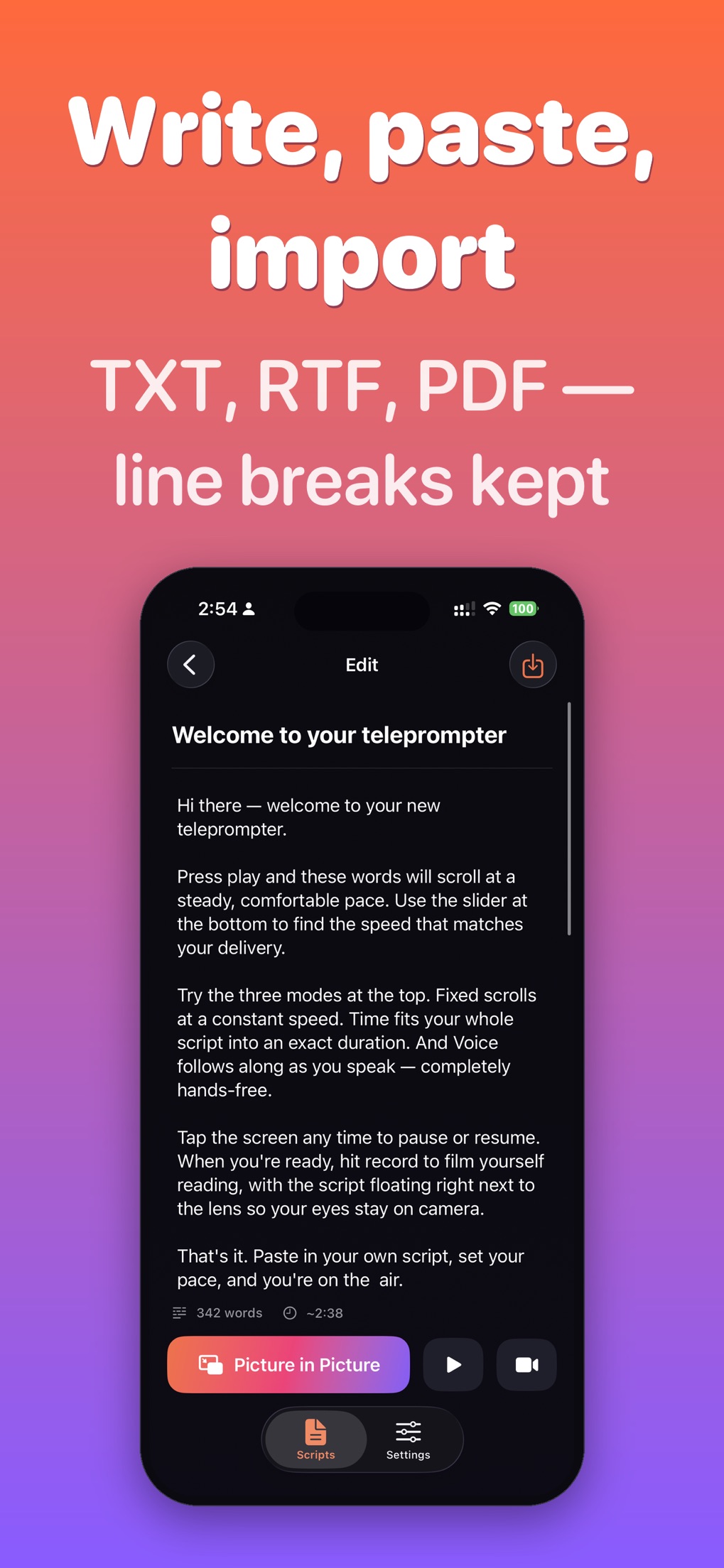
- Paste or import your script. Line breaks stay where you put them.
- Start the prompter and tap the Picture-in-Picture button. The script becomes a small floating window.
- Open the app you record with and hit record. Drag the window next to the front camera and read.
The floating window is the system Picture-in-Picture that iOS uses for video, not a window inside one app. That is why it works over TikTok, Instagram, FaceTime and the native Camera alike, and why it never shows up in the recording.
What it does
Floating PiP prompter
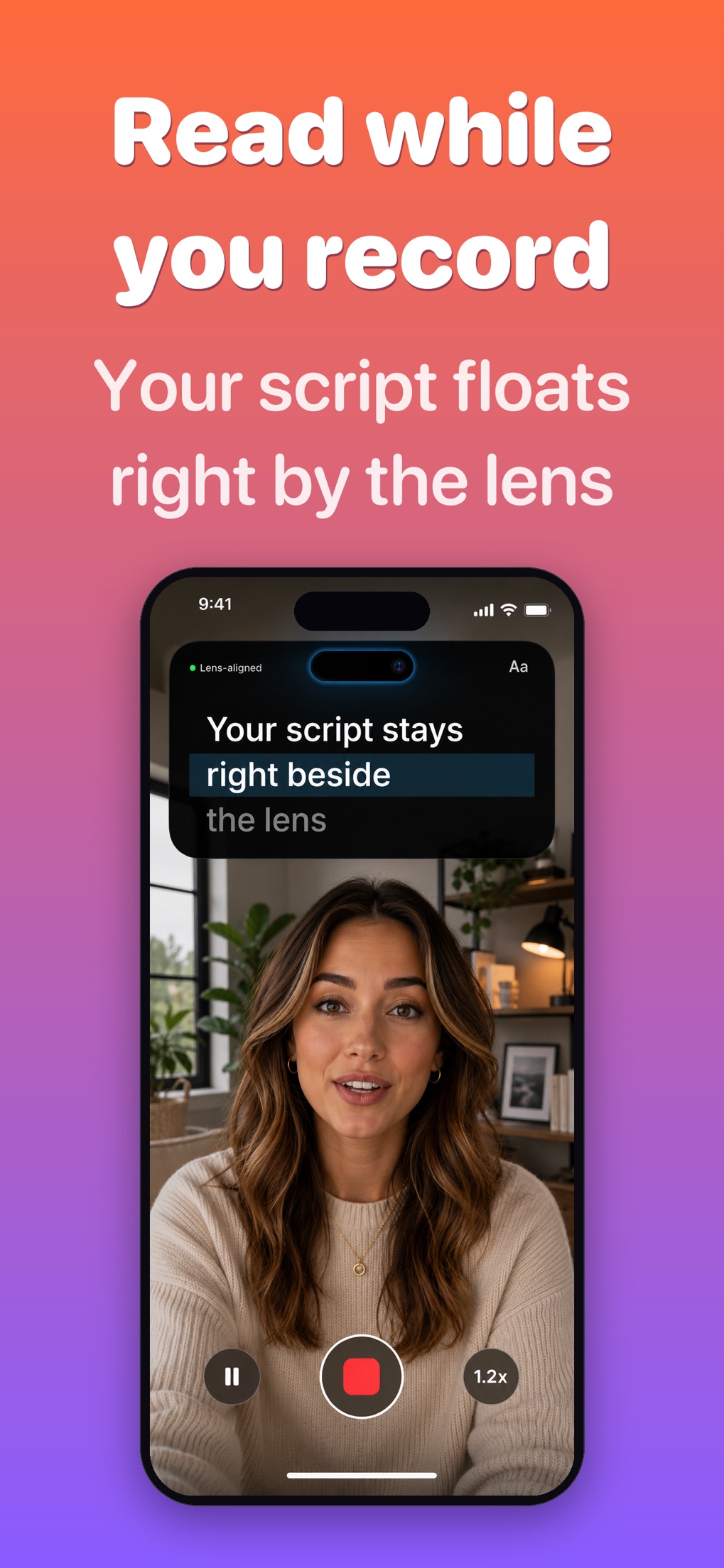
Your script stays on top of any app while you film or take a call.
Three scroll modes
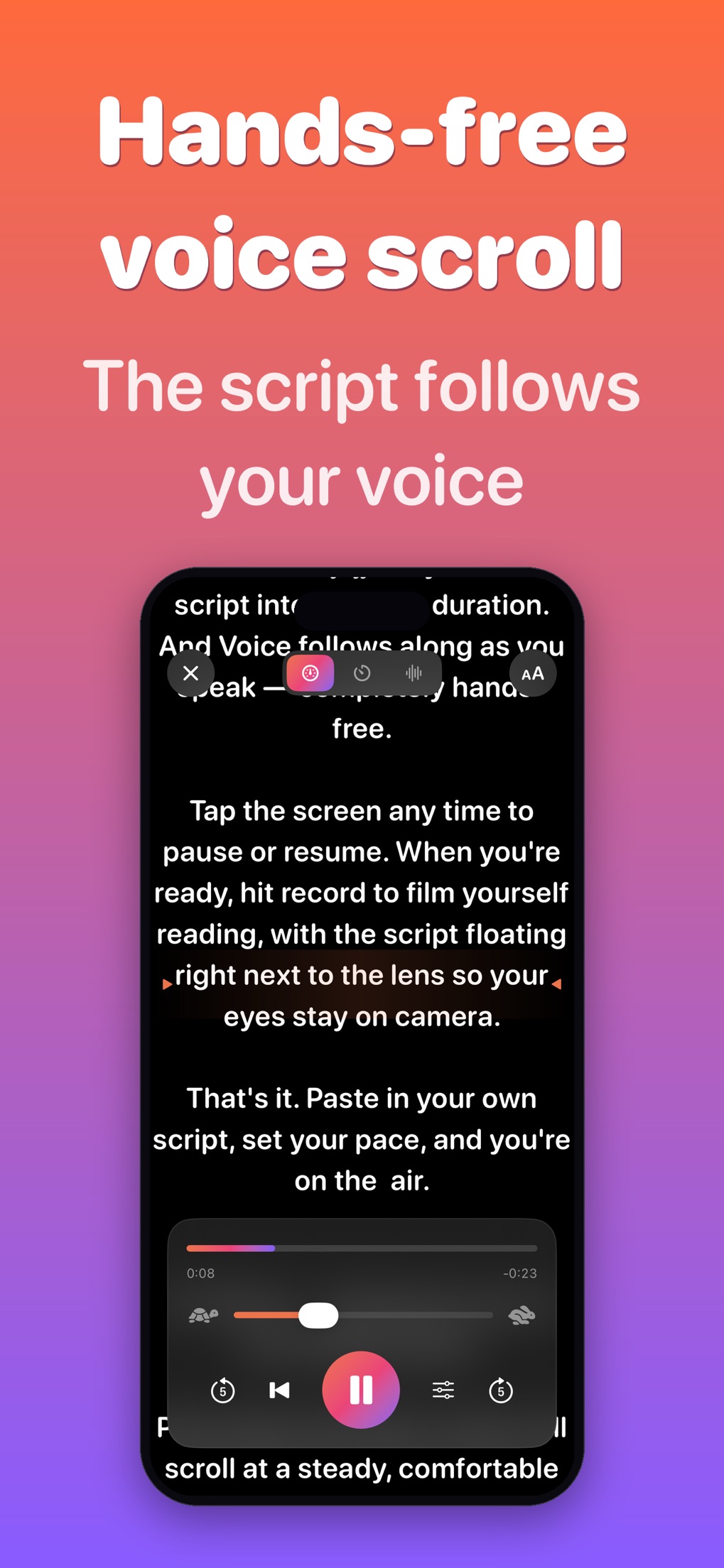
Fixed pace, timed to a target length, or Voice: it follows what you say and only moves forward.
Built-in recorder
Record in the app with the script right by the lens, front or back camera, up to 4K with Pro.
Mirror mode
Horizontal and vertical flip for beam-splitter teleprompter rigs.
Import that keeps line breaks
TXT, RTF, RTFD and PDF from Files or iCloud, with your formatting intact.
Scripts on your phone
Unlimited scripts with live word count and read time. No account, nothing uploaded.
Free and Pro
| Free | Pro (one in-app purchase or subscription, via Apple) |
|---|---|
| Write and import scripts, read them full screen, record video, try the prompter on your first scripts | Floating Picture-in-Picture prompter, hands-free voice scroll, unlimited scripts, 4K recording, no watermark |
Made for
YouTube videos and Shorts, TikTok and Reels, talking-head and sales videos, course and tutorial recording, presentations and public speaking, sermons, wedding speeches, podcasts, interviews, voiceovers.
Questions people ask
Can I use a teleprompter on top of the TikTok or Instagram camera on iPhone?
Yes. Teleprompter PIP shows your script in an iOS Picture-in-Picture window. Start the prompter, tap PiP, then open TikTok, Instagram, Reels or any other camera app: the floating script stays on screen while you record. It is not part of the video, it only appears on your display.
Does it work with FaceTime, Zoom and the native Camera app?
Yes. The window is the same system Picture-in-Picture that video apps use, so it floats over FaceTime, Zoom, the built-in Camera and anything else. One thing to know: if you leave a video call, the call itself may shrink into its own PiP window, so keep the call app in front and the script on top.
How does the Picture-in-Picture teleprompter work?
iOS lets a video player keep playing in a small floating window over other apps. Teleprompter PIP renders your scrolling script into that window. You can drag it anywhere and resize it; put it as close to the front camera as you can so your eyes stay near the lens.
Is Teleprompter PIP free? What does Pro add?
The download is free and you can write scripts, read them full screen and record without paying, so you can try it on real takes first. Pro unlocks the floating Picture-in-Picture prompter, hands-free voice scroll, unlimited scripts, 4K recording and video without a watermark. The price is shown in the app before you buy; billing goes through Apple.
Can it scroll automatically by following my voice?
Yes. In Voice mode the script listens to you and moves only forward: it advances as you read and waits when you pause or improvise. Speech recognition runs through Apple's on-device speech framework. Fixed-speed and timed scrolling are there too if you prefer a steady pace.
Can I record with the back camera while reading my script?
The built-in recorder switches between the front and back camera. With the back camera you cannot see the screen, so use the floating window with a second screen or a mirror rig, or record with the front camera when you need to read.
Does it have a mirror mode for a beam splitter or teleprompter rig?
Yes. The prompter can flip the text horizontally and vertically, so the reflection in beam-splitter glass reads the right way round.
Can I import a script from a PDF, RTF or TXT file and keep the line breaks?
Yes. Import from Files, iCloud Drive or any provider: TXT, RTF, RTFD and PDF. Your line breaks are kept as you wrote them, not stripped into one block of text. For PDFs with multiple columns, check the result once before you record.
Do I need an account? Where are my scripts stored?
No account. Scripts are stored on your iPhone. The app does not upload them anywhere.
Will people notice that I am reading?
Less than you think, if you set it up right: drag the window right under the front camera, keep the text column narrow so your eyes do not sweep sideways, use a large font, and stand a bit further from the phone. Short lines help too.